Know what is included
It gives the team a shared, itemised view of the work — from square metres of flooring to the number of windows.
 Get early access ↗
BUILT FOR THE REAL WORLD OF CONSTRUCTION
The work changes every day.
Keep everyone working from the same picture.
Your bill of quantities (called a computo in Italian), progress, plans and conversations — together in one practical app.

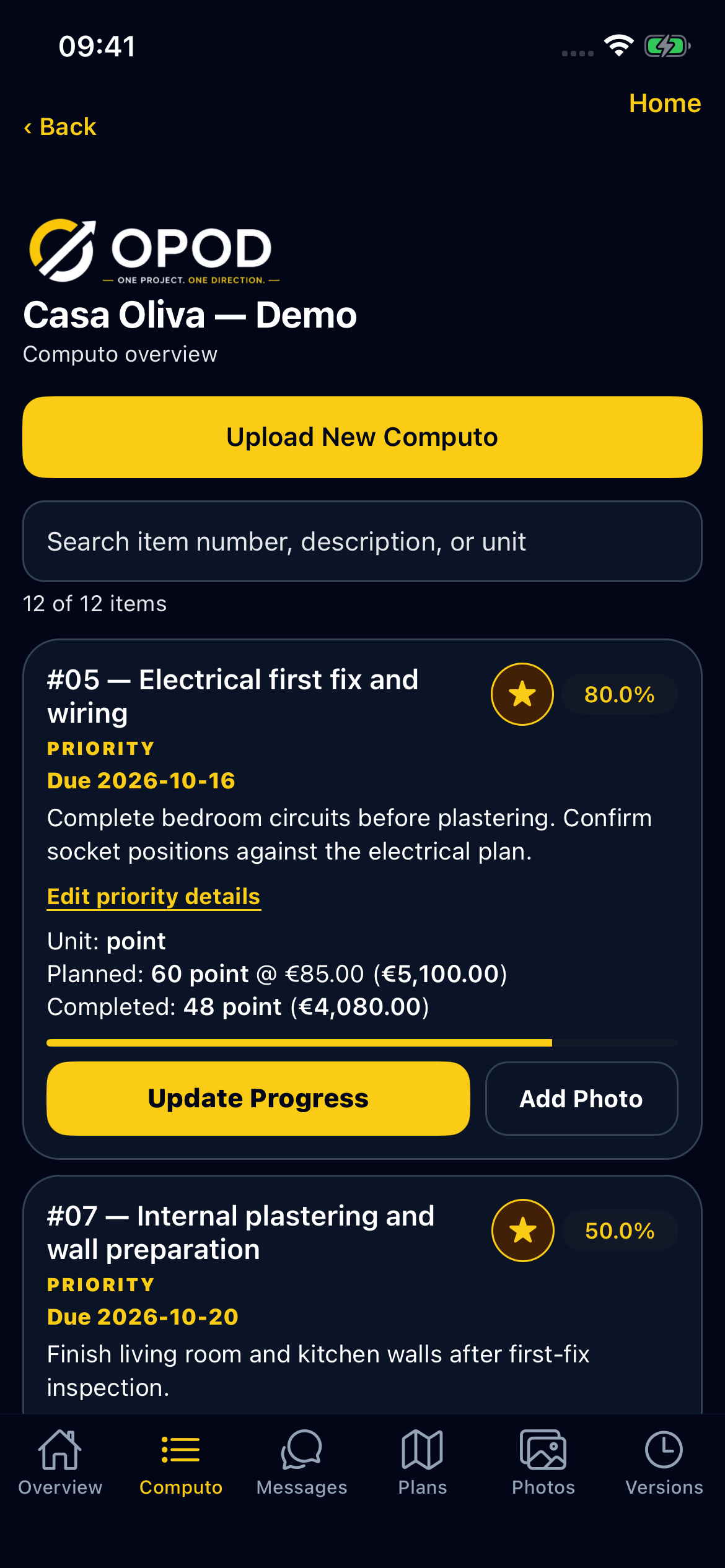
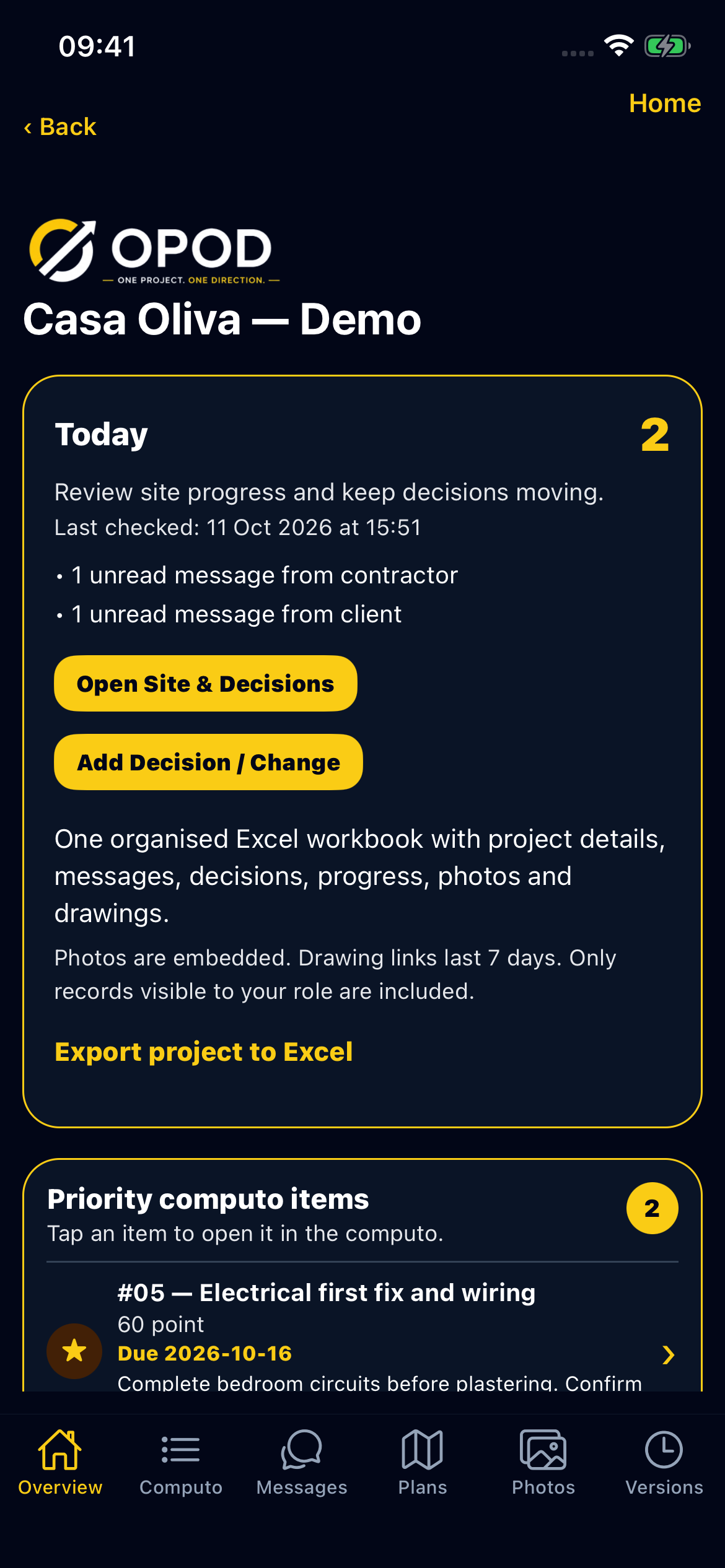
REAL APP. SHARED DEMO PROJECT.
A clear view of the work ahead.
START WITH THE BASICS
A bill of quantities breaks a building project into individual jobs, with a description, a unit and a planned quantity for each. Add a price per unit and it becomes a costed breakdown of the work.
It gives the team a shared, itemised view of the work — from square metres of flooring to the number of windows.
Quantities and unit prices show how the planned total is built up and give you a basis for comparing quotations.
In OPOD, record completed quantities against that plan to see progress and the value of work completed. It is a view of the work, not a record of payments.
A simple example: 100 m² of flooring at €50/m² means €5,000 of planned work. With 40 m² completed, that item is 40% complete, representing €2,000 of work at the listed rate.
BUILT FOR BILINGUAL TEAMS
From a site message to a line in your bill of quantities, OPOD helps English- and Italian-speaking teams work together. Choose your interface language, then enable optional AI translation for project text.
A real demo message, sent in the app and read in Italian. Then see how translation works for computo descriptions.
Recorded in the iPhone simulator. Demo data, AI narration and quiet background music.
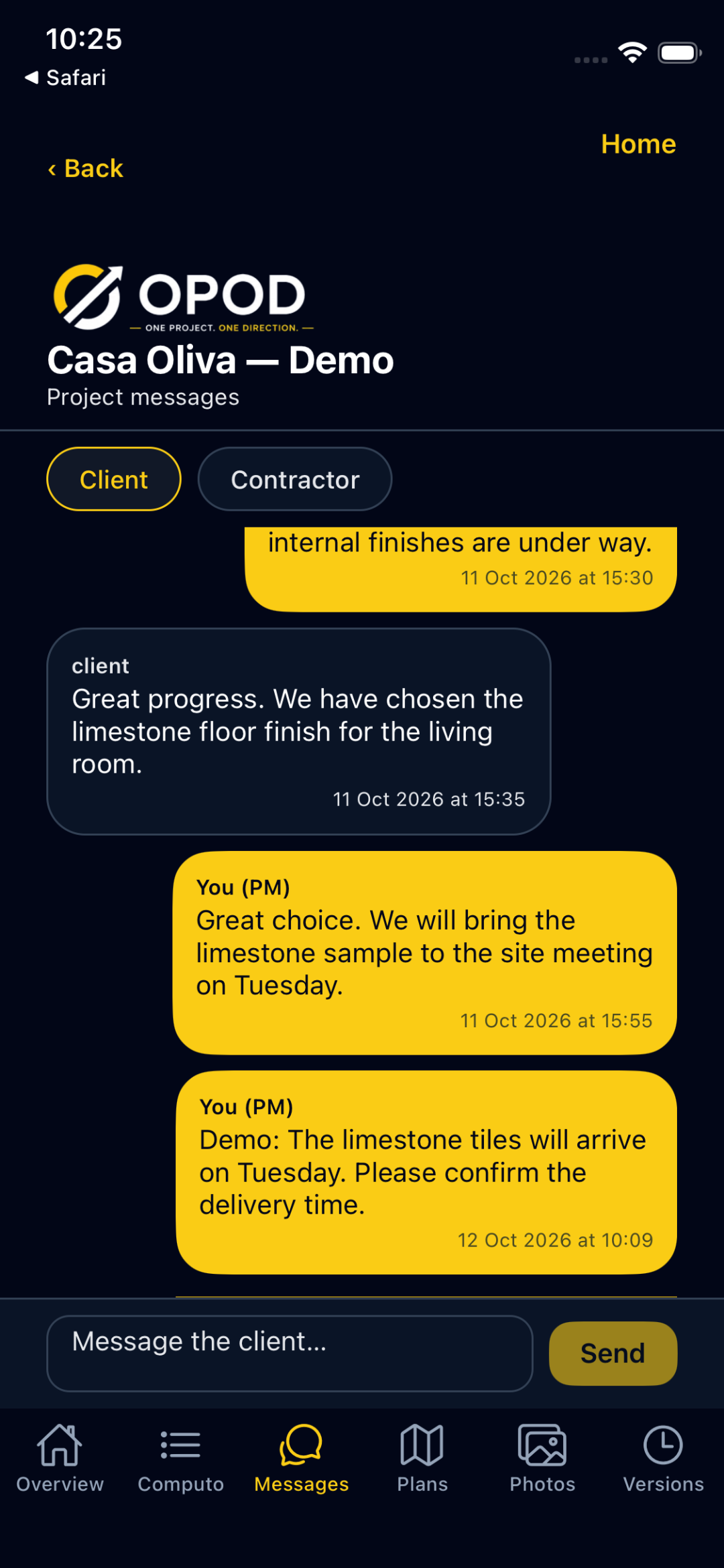
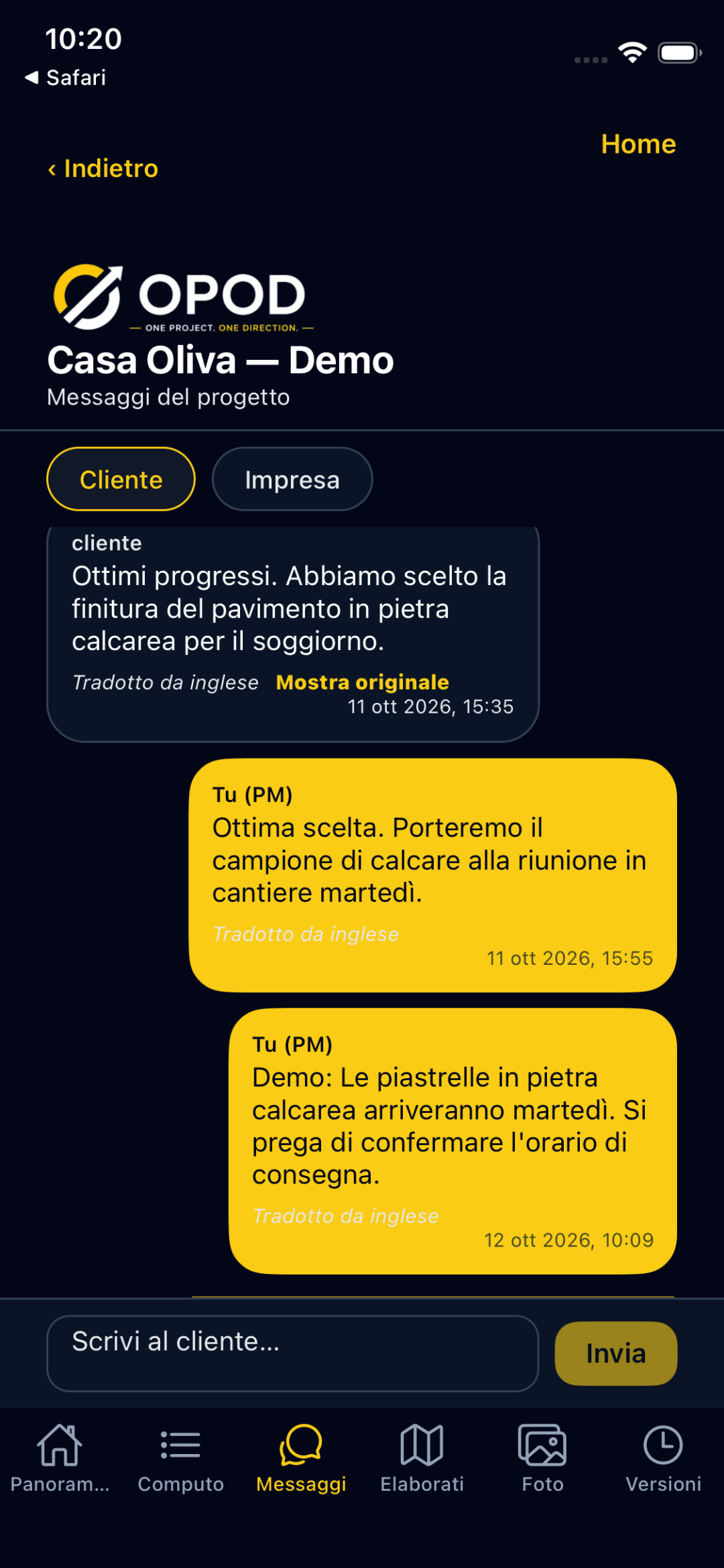
Real simulator captures from the same demonstration project.
Switch menus and navigation between English and Italian.
With AI translation enabled, read messages and computo descriptions in your selected language.
Use Show original to check the source text at any time.
Translation is optional and enabled in Account. AI translations can contain errors: check the original before relying on instructions, measurements or costs.
01 / A CLOSER LOOK
A quantity updated on site. A question about a drawing.
A decision the whole team needs to see.
Give every update a place in the project.
Track completed quantities against the planned work in your bill of quantities. See what has been done, what remains and the value of the work completed.
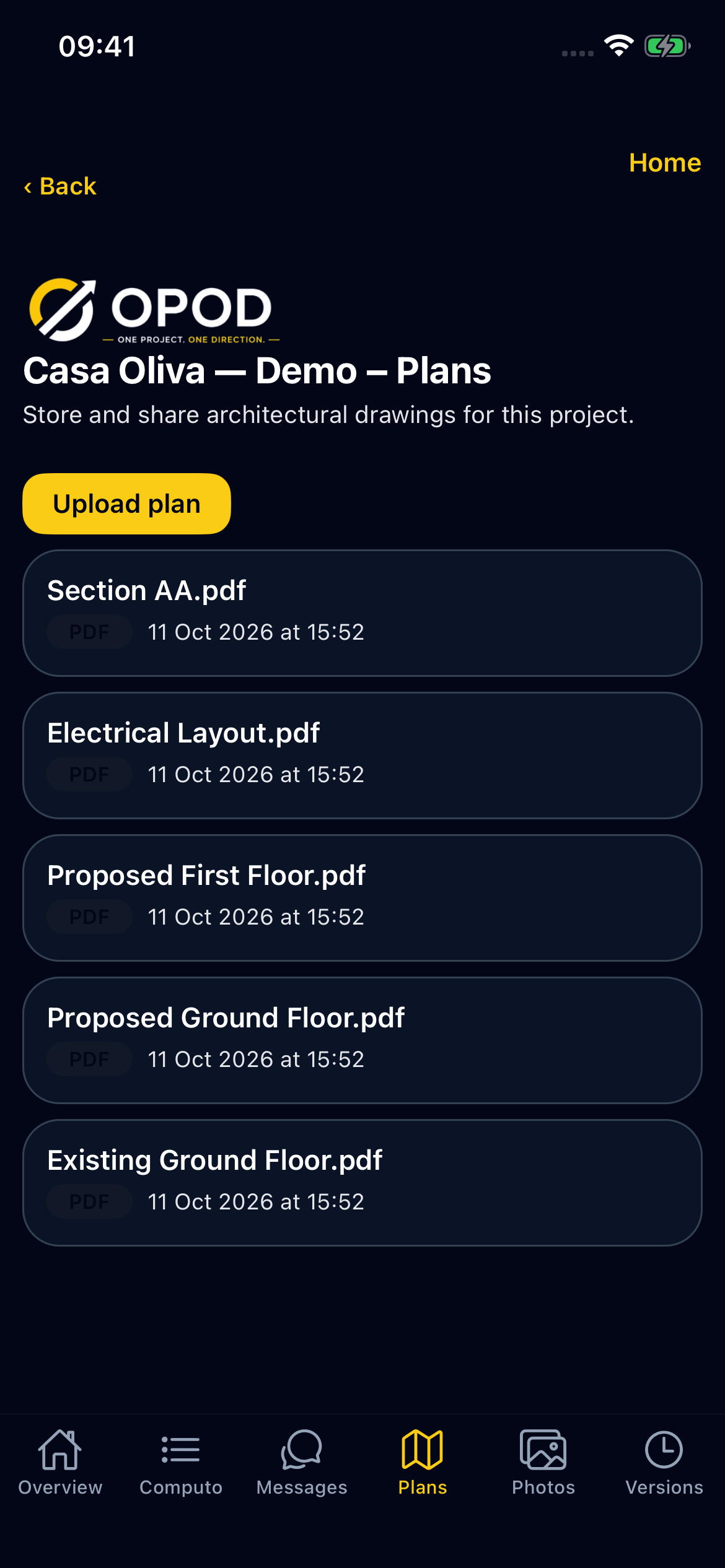
Find drawings stored in the cloud and linked to your project, ready for authorised team members to open in OPOD.
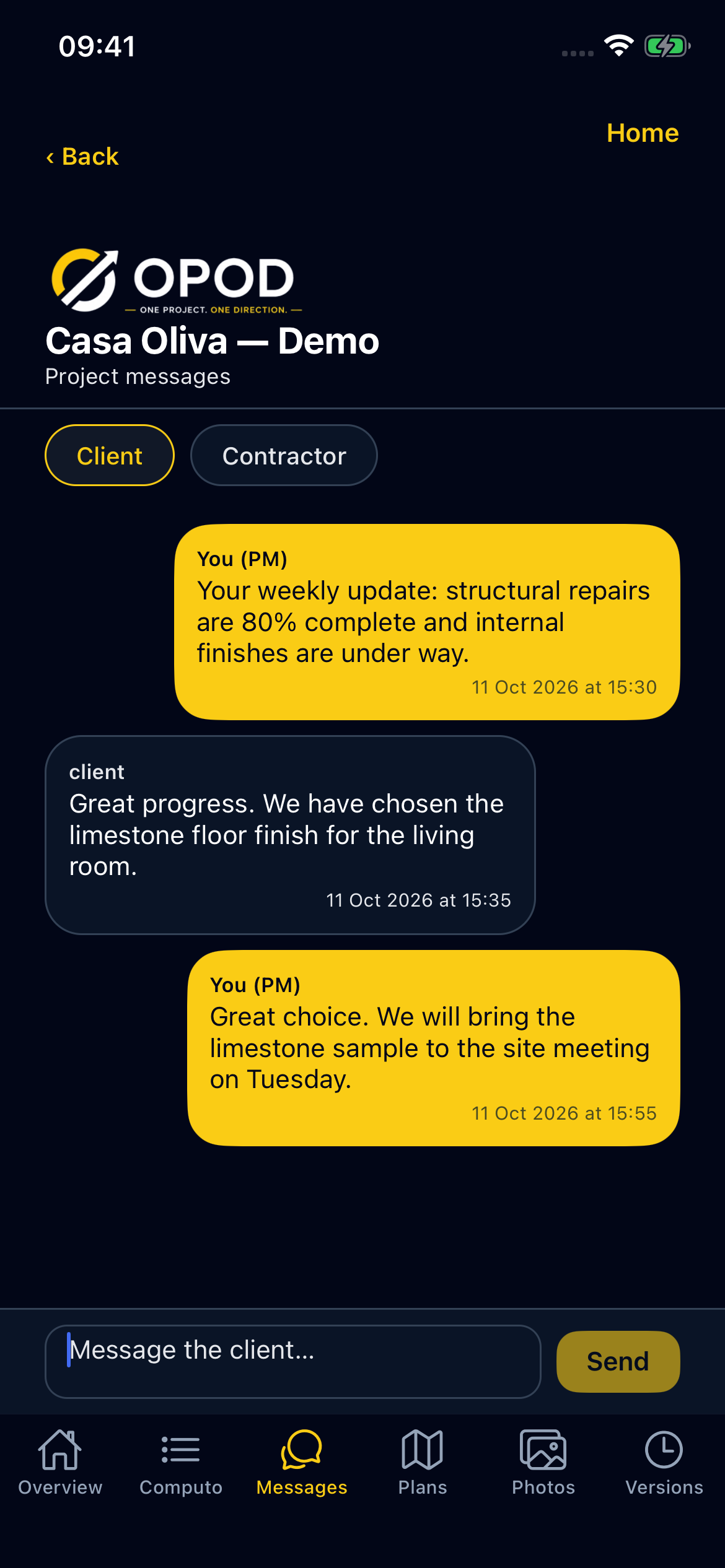
Keep questions and site updates alongside the project they belong to.
02 / SEE THE WORKFLOW
Follow a real app walkthrough:
open the project, explore the computo,
and follow the team’s conversations.
Follow the app with a spoken guide, quiet background music and captions. Recorded in the simulator with demo data and AI-generated narration.
YOUR PROJECT DOCUMENTS
Uploaded plans, computo files and site photos are stored online with OPOD’s cloud service, Supabase, and linked to the relevant project. They are not stored only on the phone that uploaded them.
Sign in on another device to access the project information available to your role. Authorised team members can find shared drawings in Plans and site images in Photos, with an internet connection.
MADE FOR THE PEOPLE BEHIND THE BUILD
From the morning site visit to the final handover, keep the details and the people connected.
See the workflow ↗03 / EVERYONE HAS A PART TO PLAY
Set up the project, bring in your team and follow progress against the computo.
Update completed quantities, share site photos and find the plans you need.
Follow progress and project updates with a view designed around your role.
ONE PROJECT. ONE DIRECTION.
Bring your next project together with OPOD.
Talk to us about early access ↗Opens your email app.